AvailableFree
Webcam Frame Maker
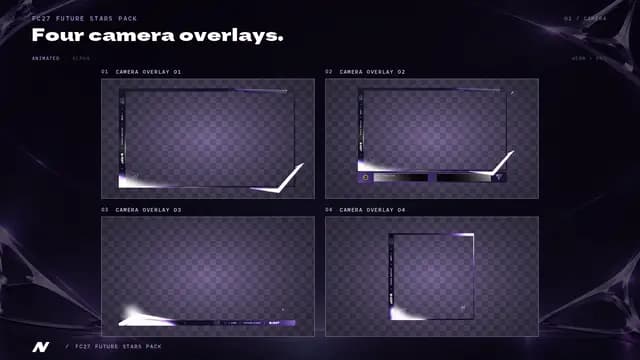
A frame around your camera and a plate with your name, transparent everywhere else. Put it above your camera in OBS and it sits over any FC scene.
Preview
The checkerboard is transparent in the file. The sample scene is only a preview.
The file is drawn on your device at the exact size. No account, no email, no watermark.
EA SPORTS FC and FC27 are trademarks of Electronic Arts Inc.
In OBS: add the PNG as an Image source above your camera, on a 1920 × 1080 canvas. Then set the camera source to 520 × 293 at X 48, Y 739, so it fills the frame.
Make it yours
Presets follow the FC27 packs on sale now: the promo name or the edition look, nothing else.
Name
Position
Look
Colours
Elements
Made for OBS
Your camera, framed in one step
Choose the corner and the size of your camera. The maker draws the frame and the plate around that window and tells you the exact position and size to give your camera source.
- Same corner as your camera in the scene
- The camera window keeps the 16:9 shape
- Match the look of your other screens
- Canvas size
- 1920 × 1080 px
- Background
- Transparent
- Export
- PNG
Source: 16:9 canvas sizes such as 1920 x 1080. OBS Studio knowledge base (opens in a new tab), checked 07/10/2026.
FAQ
Questions about the maker
Why only PNG?
The frame needs a transparent background so your camera and your game show through. JPG has no transparency, PNG does.
How do I set it up in OBS?
Add the PNG as an Image source above your camera source, on a 1920 by 1080 canvas. The maker shows the position and size to give your camera so it fills the window.
My canvas is not 1920 by 1080, does it work?
Yes, as long as the canvas is 16:9: stretch the image to the canvas and the frame keeps its place. The OBS guide lists the 16:9 sizes.
Does it match the NanoCrea packs?
It uses the same looks and accents as the free makers. The paid packs add animated camera frames and full scenes.
Is it free?
Yes. No account, no email, no purchase and no watermark.
Go further
The same look on stream and on socials
- 12 options, Full Pack €39.99
- 12 options, Full Pack €39.99
- 12 options, Full Pack €49.99